Robot hoovers make cleaning homes easier than ever, but they still require regular care to stay efficient. Without proper maintenance, suction can weaken, brushes can jam, and sensors may stop functioning correctly. Routine upkeep not only ensures thorough cleaning but also extends the lifespan of your device and avoids costly repairs. In this guide, we will cover essential daily, weekly, and monthly maintenance steps, explain why each is important, and provide troubleshooting tips for common problems. Whether you are new to using a robot hoover or have owned one for years, these tips will help maintain peak performance.
Why Must You Maintain Your Robot Hoover
Regular maintenance is crucial for keeping your robot hoover effective and reliable. Dust, hair, and debris can build up in brushes and filters, reducing suction and leaving dirt behind. Ignoring maintenance can also impact sensors, wheels, and battery performance, leading to errors or shortened cleaning cycles. Consistently performing simple upkeep tasks, like emptying the dustbin and wiping sensors, ensures your device runs smoothly. It prevents small issues from turning into expensive repairs and helps maintain cleaning efficiency. By dedicating a few minutes each day or week, you can enjoy better results and extend the life of your robot hoover, keeping your floors clean and your home environment healthier.
Daily & Weekly Care Routines You Should Follow
Daily Robot Hoover Tasks
Firstly, empty the dustbin after every cleaning session to prevent clogs.Then wipe sensors and the exterior to maintain navigation accuracy. Check brushes and wheels for small blockages or hair tangles. Performing these tasks daily helps maintain suction and prevents minor problems from escalating. A short daily routine ensures your robot is always ready for the next cleaning session.
Weekly Robot Hoover Checklist
To begin with, remove the main brush and clean it thoroughly, making sure to cut away and remove any tangled hair, fibers, or debris that may have wrapped around it. This step helps maintain effective brush rotation and ensures consistent cleaning performance. Next, clean the side brushes and check the wheels carefully to prevent jams caused by dust buildup, hair, or small particles that can affect movement and navigation. After that, rinse any washable filters according to the manufacturer’s instructions and allow them to dry completely before reinstalling. If the filters show signs of wear or no longer trap dust effectively, replacing them is strongly recommended. Weekly maintenance like this addresses accumulated dirt that daily cleaning routines often miss. By taking a few extra minutes each week, you can keep your robot vacuum functioning efficiently, maintain strong suction, and extend its overall lifespan.
Monthly & Seasonal Deep Maintenance
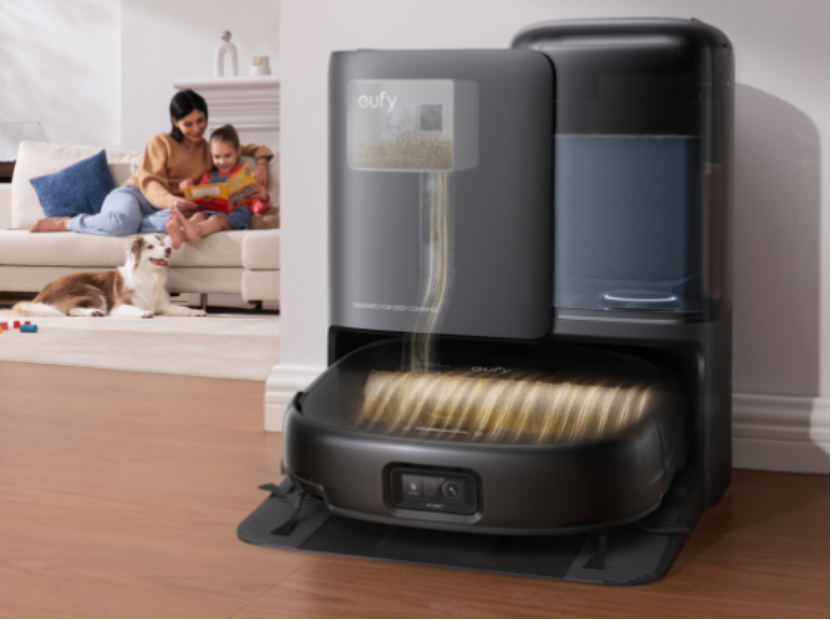
For long-term performance, deeper maintenance is essential. This includes wiping sensors to ensure accurate navigation, inspecting wheels for hair or debris buildup, cleaning charging contacts and the dock to maintain proper power connection and checking belts and brushes for wear and replacing them when needed.
Seasonal maintenance may involve replacing filters or brushes, especially if the robot is used frequently or in homes with pets. These steps prevent long-term damage, improve cleaning efficiency, and reduce the likelihood of errors. By addressing potential issues proactively, you ensure the robot remains reliable and continues performing optimally across all types of floors and household conditions.
Ways to Troubleshoot Common Issues
Robot Won’t Start or Loses Power
If your robot fails to start or loses power mid-cleaning, check the battery and charging contacts. Ensure the dock is plugged in and free from dust or debris. Performing a system reset may fix software-related issues. Persistent problems may require a battery replacement to restore full functionality. It is also a good idea to update the robot’s firmware regularly, as updates often improve stability and fix known bugs. If issues continue after troubleshooting, contacting customer support can help identify deeper hardware or system faults.
Robot Gets Stuck or Misses Spots
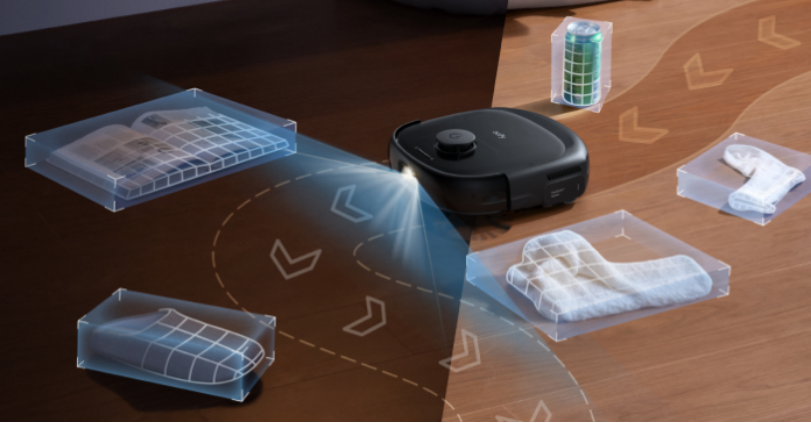
If the robot gets stuck or misses areas, remove obstacles from the floor and check that the wheels and brushes are free from debris. Wipe sensors to improve navigation, and if applicable, retrain the cleaning map. Adjust virtual barriers or schedule cleaning times to optimize coverage and prevent repeated interruptions.
Conclusion
Proper maintenance is key to keeping your robot hoover efficient, reliable, and long-lasting. Daily tasks like emptying the dustbin and wiping sensors prevent minor issues, while weekly and monthly routines address accumulated dirt and wear. Regular checks of brushes, filters, wheels, and battery health ensure optimal cleaning performance. Troubleshooting common issues promptly helps avoid bigger problems and unnecessary costs. By establishing a consistent care routine, you can enjoy cleaner floors without interruptions and extend the life of your device. Make maintenance a regular habit, and your robot hoover will continue delivering excellent results while maintaining peak performance for years.